

MetaTrader 4— forex trading and analysis platformbroker account access, charts, orders, and
MQL4 automated trading

How MetaTrader 4 Connects to Broker Accounts

MetaTrader 4 is trading software rather than a broker. The terminal connects to a broker server, loads the symbols and quotes assigned to the account, and provides charts, order controls, positions and account data in the same environment. Forex trading conditions such as spreads, leverage and available symbols come from the connected account.
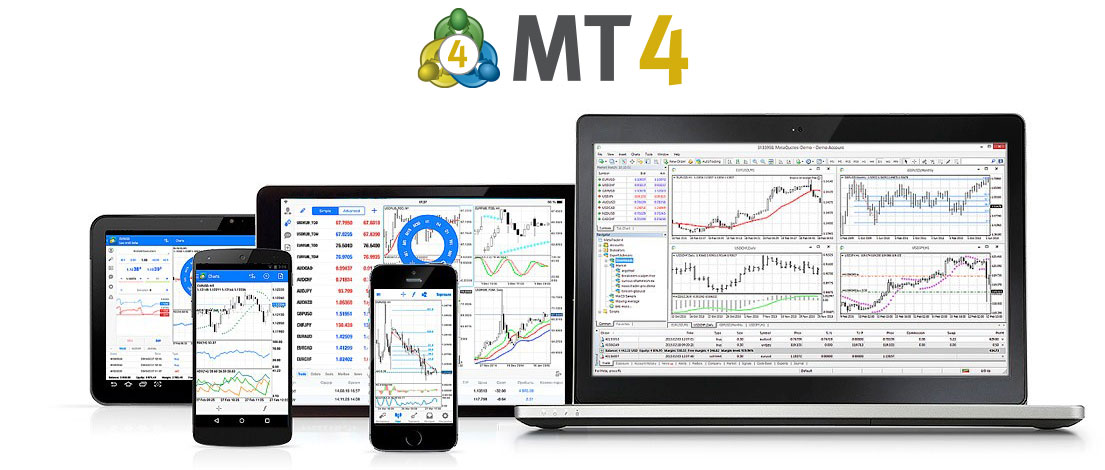
MetaTrader 4 across desktop and mobile devices

Market Watch displays broker-supplied symbols and quotes. Charts and indicators use that price data, while the order window supports market orders, four pending order types, Stop Loss and Take Profit. Open positions, balance, margin and trade history remain tied to the connected account.

The desktop terminal also includes MQL4, MetaEditor, Expert Advisors and Strategy Tester for developing, running and testing automated programs. Trading Signals and Market are extension services rather than the source of broker account data or execution conditions.
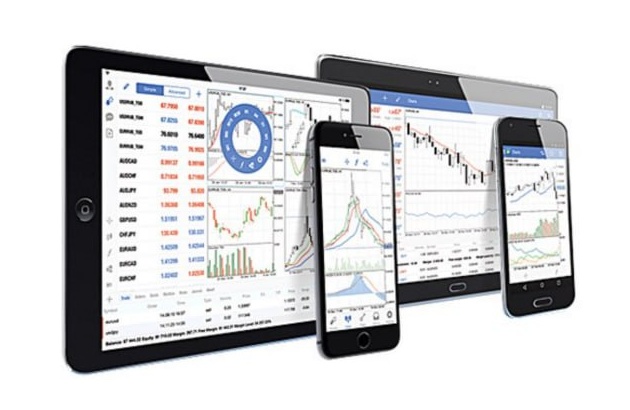
Broker QuotesChartsOrdersMQL4 / EAs
MetaTrader 4 Components

MetaTrader 4 Quotes, Orders, Charts and Automation

MetaTrader 4 combines broker-supplied quotes, interactive charts, technical analysis, order management and MQL4 automation in one terminal. The desktop platform provides 9 chart timeframes, 30 built-in technical indicators, analytical objects, market orders, four pending order types, Stop Loss, Take Profit and Expert Advisor support.

Platform components
Broker Quotes9 Timeframes30 IndicatorsMarket + 4 Pending OrdersMQL4 + Expert AdvisorsPositions + Account Data
Technical Analysis

Charts, Timeframes and Technical Indicators

The desktop terminal provides 9 chart timeframes, 30 built-in technical indicators and graphical analysis objects. Charts use price data received from the connected broker server, while custom indicators can extend the workspace through MQL4.

Trading System

Market Orders, Pending Orders and Expert Advisors

MT4 supports market orders, four pending order types, Stop Loss, Take Profit and Trailing Stop. Expert Advisors can read terminal data and send trading requests when AutoTrading and account permissions allow automated execution.

How Quotes, Orders and Account Data Relate in MT4

MT4 receives symbols, prices and account settings from the connected broker server. Charts and indicators process that market data, while manual orders and Expert Advisors submit requests through the same account environment. Positions, balance, margin and history update from the server connection.

Quotes & ChartsOrders & PositionsBroker Server
Account and terminal relationship

Broker Server Data Drives Quotes, Orders and Positions

After login, Market Watch loads the symbols and prices available to that account. Charts and indicators use the same server data, and the order system submits trading requests under the account's execution rules. Positions, margin and history continue to update through the connection.

Broker Quotes, Charts and Indicators

Market Watch and charts display prices supplied by the connected server. The desktop terminal provides 9 timeframes, 30 built-in indicators and graphical analysis objects for working with that data.

Orders, Positions and Account Status

Use market and pending orders, then monitor open positions, balance, equity, margin and completed trade history. Execution rules and permissions depend on the broker account.

MQL4, Expert Advisors and Strategy Tester

MQL4 is used to build Expert Advisors, custom indicators and scripts. MetaEditor provides the development environment, while Strategy Tester evaluates EA behavior on historical data. Test results do not represent guaranteed live performance.

MetaTrader 4 Platform and Broker Connection FAQ

Answers about broker-server connections, market and pending orders, chart tools, MQL4, Expert Advisors and the differences between trading software and brokerage services.

What is MetaTrader 4?

MetaTrader 4, or MT4, is forex trading and technical-analysis software developed by MetaQuotes. It connects to broker servers for quotes, account data and order execution, and includes charts, MQL4, Expert Advisors and Strategy Tester.

Which orders and chart tools are available in MetaTrader 4?

The desktop terminal supports market orders, four pending order types, Stop Loss, Take Profit, Trailing Stop, 9 chart timeframes, 30 built-in indicators, graphical analysis tools and MQL4 Expert Advisors.

Does MetaTrader 4 provide brokerage or investment services?

No. MetaTrader 4 is trading software. Brokers or trading institutions provide live accounts, server access, tradable symbols, prices, spreads, leverage, funding and execution conditions.

How does MetaTrader 4 support automated trading?

The desktop terminal supports MQL4 programs and Expert Advisors. MetaEditor is used to write and compile code, while Strategy Tester is used to test and optimize Expert Advisors on historical data.

Does MetaTrader 4 decide which instruments are available?

No. MT4 displays the instruments and conditions supplied by the connected trading server. Symbols, pricing, leverage and other account-specific settings can differ between brokers and account types.

Can MT4 or an Expert Advisor guarantee profit?

No. MT4 and Expert Advisors are tools for analysis, execution and automation. They cannot guarantee profit or remove risks from volatility, leverage, slippage, liquidity, execution conditions or strategy failure.

Public MetaTrader 4 App Feedback

Selected App Store comments cover mobile navigation, charting, alerts and requested improvements. They are user opinions rather than platform performance guarantees.

★★★★★

“Overall, it’s a great app. If you’ve only used Trading View, it will take some time getting used to.”

M.Smith91Great app | App Store
★★★★★

“Awesome app, only problem is that it needs to be able to add alerts.”

brenn996Great app, needs a little work | App Store
★★★★☆

“Seriously I love this app it’s amazing but please update the chart system already 🤘🏽”

BrayionMT4 Chart | App Store
★★★★★

“Love how mobile friendly it is. Definitely runs well and it is simple and easy to use!”

ChitanianGreat app! | App Store
★★★★☆

“Giving 4 stars because it is somewhat basic, although very reliable and simple to use.”

igrusu93I wish you add more perks | App Store
★★★★★

“The whole app is easy on the eye and easy to navigate.”

Pip_WhispererMy constant companion | App Store
MetaTrader 4 logoMT4

MetaTrader 4 Mobile, Automation and Extension Services

View related content
MetaTrader 4 Forex Platform, Orders, MQL4 and EAs